
How to Spot a Fake or Clone Website A Checklist

You search for a popular platform, click the first result, and land on a site that looks perfectly normal. Same logo, same colours, same layout. You enter your phone number, your password, maybe even your UPI PIN. A few minutes later, your account is empty or your personal data is already being sold.
This is exactly how clone websites work, and they are getting harder to catch. Indians lost Rs 22,845 crore to cyber fraud in 2024, a rise of 206% compared to the previous year, according to a written reply given by the Union government in Lok Sabha. A large share of that money was lost on fake and cloned websites. Before you fill in any form or make any payment online, run through the checks below.
Why Fake Websites Are So Hard to Spot
A clone website also called a mirror site or spoof site is a copy of a real website. Scammers build these copies to steal your login details, OTPs, banking credentials, or money directly. They do not need to hack the original site. They just have to trick you into thinking you are already there.
These fake sites show up in Google results, in WhatsApp forwards, in Instagram ads, and sometimes even in SMS messages that look like they came from your bank. The reason so many people fall for them is simple: the fake site looks identical to the real one at first glance. You have to look a little deeper.
The Verification Checklist Check These Before You Do Anything
1. Read the URL Very Carefully
The web address URL is the first and most reliable tell. Scammers cannot use the exact same domain as the original website. So they change it slightly, hoping you will not notice.
Common tricks include adding words login-sbi.com instead of sbi.co.in, swapping letters rn instead of m, since rn looks like m in many fonts, using a different ending .net or .org when the real site is .com or .co.in, or placing the real brand name in a sub-folder sbi.co.in.fraudsite.com. The actual domain name is always the part just before the first single forward slash. Everything to the left of that slash, but to the right of https://, is the domain. Train yourself to read it left to right, slowly.
2. Check for HTTPS, But Do Not Stop There
Real websites use HTTPS, which means the connection between your browser and the site is encrypted. You will see a small padlock icon in the address bar. If a site uses plain HTTP no padlock, leave immediately.
However, HTTPS alone does not prove a site is genuine. Many fake websites only use HTTP, but scammers have started getting SSL certificates for their fake sites too, so HTTPS is a necessary check, not a sufficient one. Think of HTTPS as one layer of protection, not the whole answer.
3. Check the Domain Age with a WHOIS Lookup
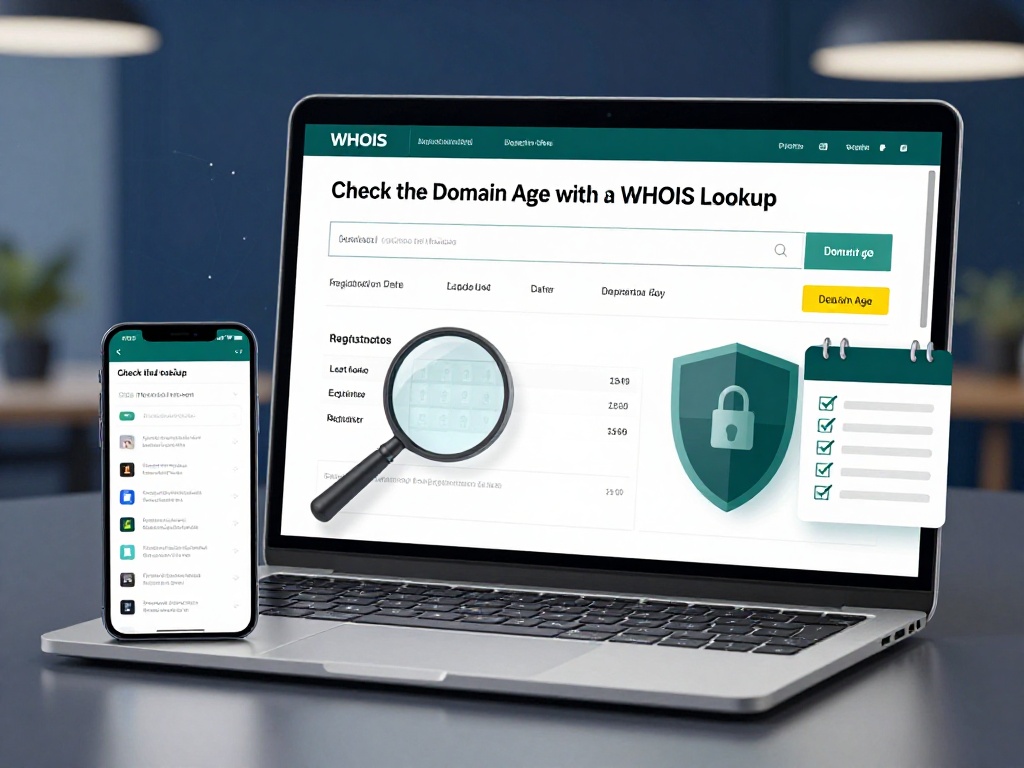
This is the check most Indian readers never do, and it is one of the most powerful. Every domain name like example.com has a public record called a WHOIS record. It tells you when the domain was first registered.
If a site claiming to be a major brand was registered last month, it is almost certainly fake. Genuine platforms like banks, government portals, or established gaming websites have domains that are several years old.
To check go to whois.icann.org the official ICANN WHOIS lookup, type the domain name, and look for the Creation Date. If the domain is only a few weeks or months old but the site claims to be a well-known brand, that is a serious warning sign.
4. Look at the Content Quality
Fake sites are often built in a hurry. Scammers copy text from the real site but make mistakes along the way. Look for spelling errors, broken English, misaligned logos, blurry images, and pages that do not load properly. One of the prominent ways to identify a fake website is to inspect its copy and content. Scammers love when you fail to notice these details.
Also check whether the About Us, Terms and Conditions, and Privacy Policy pages actually contain real content. On fake sites, these are usually blank, copied word-for-word from a different company, or completely missing.
5. Test the Contact Details
A real business can be contacted. Fake sites often have no contact page, display addresses that do not exist, or only offer a contact form with no other options. Copy their phone number or address and search for it on Google. If the number leads to a completely unrelated business, or the address turns out to be a random plot in some obscure location when you check it on Google Maps, something is wrong.
Real websites for Indian banking, government services, or established platforms will always have a phone number with an STD code, a verifiable registered address, and often a grievance officer name as required under Indian consumer protection rules.
6. Search for the Website on Google Safe Browsing
Google maintains a free tool called Google Safe Browsing where you can paste any URL and find out if it has been flagged for phishing or malware. It takes ten seconds and is free. If the report says No unsafe content found, that is a good sign. If it flags the site, close it immediately.
7. Do Not Trust Ads Blindly
Most people, when they need to access a service, search for it online and go directly to the first result. The rush people are in works in scammers’ favour. Users must always double-check the URL before proceeding with any service, and never click on or trust advertisements blindly. Paid ads at the top of Google results can be bought by anyone, including scammers. Always scroll to the organic results, or better still, go directly to the site by typing the known URL yourself.
This applies especially to gaming and betting platforms. If you are looking for a trusted platform, check that the address you are visiting matches the official one exactly. For instance, if you are playing on lotus365 aviator, make sure you have the correct domain bookmarked and are not clicking a link from an unknown source.
8. Use the Suspect Data Feature on India’s Cybercrime Portal
The Report Suspect feature was added to the National Cyber Crime Reporting Portal NCRP on 31 January 2024 for quick reporting of suspicious website URLs. You can also check the authenticity of any website under the Suspect Data category on the portal. Go to cybercrime.gov.in and use this feature before you proceed with any site you are unsure about.
Quick Reference Table Real Site vs Fake Site
| What to Check | Real Website | Fake/Clone Website |
|---|---|---|
| URL | Matches the official domain exactly | Has extra words, swapped letters, wrong extension |
| HTTPS | Always present | Sometimes missing; sometimes faked |
| Domain age (WHOIS) | Several years old | Often registered within weeks or months |
| Content quality | Professional, error-free | Spelling mistakes, blurry images, broken links |
| Contact info | Verifiable phone, address, grievance officer | Missing, vague, or unverifiable |
| Policies | Full Terms, Privacy Policy, Refund Policy | Blank, copied, or absent |
| Deals and offers | Reasonable, matching official site | Unrealistically good, limited time only pressure |
What to Do If You Find a Fake Website
If you spot a clone site, do not just close the tab. Report it. India has a formal cybercrime reporting mechanism. The two most important channels are: call 1930 for financial cyber fraud, and file a complaint on the National Cyber Crime Reporting Portal at cybercrime.gov.in.
If you have already lost money, call 1930 as fast as possible. The sooner you report, the better the chance that the transaction can be flagged or reversed. You can also report the URL directly on the portal so that authorities can take steps to block the site.
If you are concerned about a specific platform, such as checking whether you are on the correct lotus365 india page and not a copied version, always verify the URL and cross-check with the official source before entering any credentials.