
How to Track a Withdrawal Request and Document Its Status

You submitted a withdrawal request an hour ago. The money has not arrived. You check your account and see a label that says Processing but you are not sure if that is normal or a problem. This is one of the most common frustrations Indian users face on online platforms, and the fix is usually simpler than you think.
This guide walks you through how to track a withdrawal request, what every status label actually means, and how to document everything properly so you have proof if anything goes wrong later.
Important notice: India’s Parliament passed the Promotion and Regulation of Online Gaming Bill on 21 August 2025, which prohibits online money gaming platforms those where users stake money expecting winnings. Online gaming involving real-money bets carries serious legal and financial risk. If you are using any such platform, be aware that it may be operating outside the law. Always check the Ministry of Electronics and Information Technology MeitY guidelines before participating. You must be 18 or older to use any real-money platform.
What Does Tracking a Withdrawal Request Actually Mean?
When you ask for your money back from any online platform a gaming app, a broker, or a wallet, the platform does not send it instantly. Your request goes through a short chain the platform receives it, checks your account details and KYC status, then passes it to a payment gateway, which sends it to your bank. Each step has a status label. Tracking means checking where your request sits in that chain right now.
The good news is that most platforms in India let you do this from the same app or website where you made the request.
Step-by-Step: How to Track Your Withdrawal Request
Step 1 Log in and go to your Wallet or Funds section
Open the platform’s app or website and sign in. Most Indian platforms place the withdrawal history inside a section called Wallet, Funds, Account, or Cashier. Look for it in the main menu or your profile icon at the top right.
Step 2 Open Transaction History or Withdrawal History
Inside the Funds or Wallet section, there is usually a button or tab labeled Transaction History, View History, or Withdrawal History. Tap or click it. This shows a list of your recent requests with dates, amounts, and current status.
Step 3 Find the specific withdrawal
Requests are listed newest first. Find the one you want to check, using the date and the rupee amount. Tap on it to see the full details, including the reference ID or transaction ID.
Step 4 Read the status label
Each request will carry a status. The next section explains exactly what each one means.
Step 5 Note the details and take a screenshot
Write down or screenshot the transaction ID, the amount, the date, the chosen payment method UPI, IMPS, NEFT, etc, and the current status. This takes 30 seconds and can save you hours of trouble later.
What Each Withdrawal Status Label Means
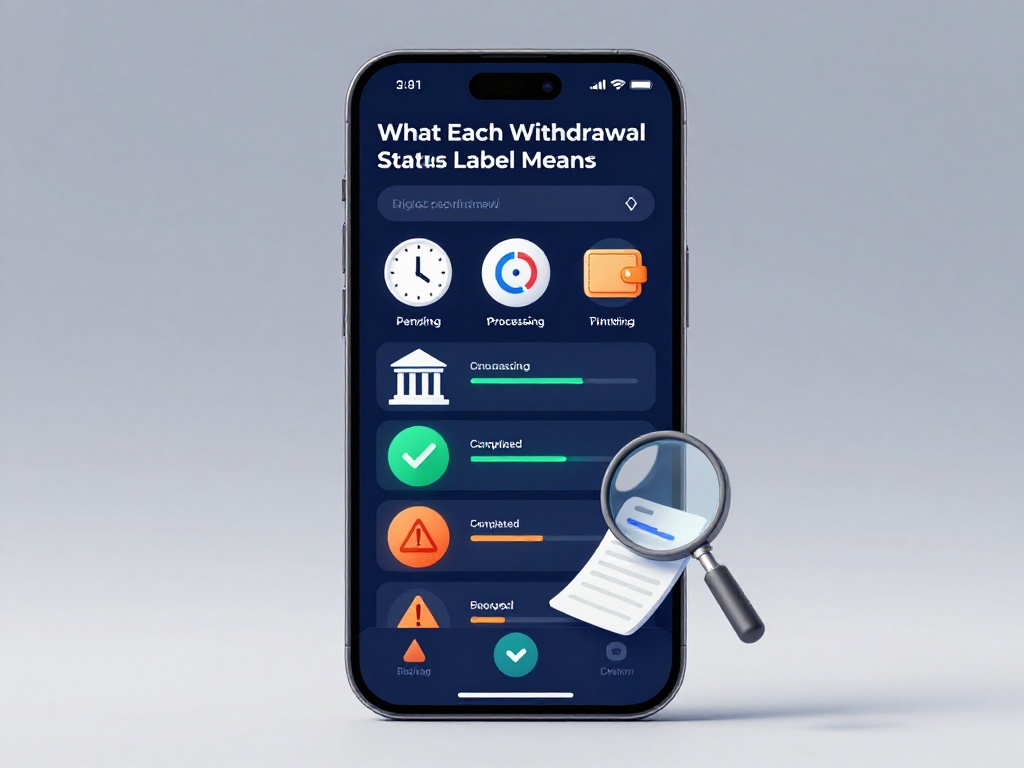
This is where many users get confused. Platforms use slightly different words, but the meanings are almost always the same.
| Status Label | What It Means | Typical Wait Time |
|---|---|---|
| Pending | Request received, waiting for internal review to start | Minutes to a few hours |
| Processing | Review is underway; the platform or payment gateway is working on it | 1 to 24 hours |
| Approved | Platform has approved it; funds are being sent to your bank | Minutes to 2 hours |
| Completed / Paid / Success | Money has been sent. Check your bank or UPI app | Instant to 24 hours |
| Rejected | Platform refused the request; reason usually given | Funds return to your wallet |
| Cancelled | You or the platform cancelled the request | Funds return to your wallet |
| Failed | A technical error stopped it; your money was not deducted | Retry or contact support |
| On Hold / Under Review | Extra verification needed, often KYC-related | Varies |
UPI withdrawals in India tend to move the fastest, often completing within minutes to 2 hours. Bank transfers via IMPS or NEFT generally take 24 to 48 hours. Weekends and public holidays can slow things down on the bank side even when the platform side is done.
Why a Withdrawal Gets Stuck on Pending or Processing
A status that does not move is frustrating. Here are the most common reasons, and what you can do about each one.
KYC not completed. Most platforms require you to verify your identity before your first withdrawal. Since the RBI issued updated KYC directions in August 2025, compliant platforms are stricter about this. If your Aadhaar, PAN, or other documents are not yet verified, your request will sit idle. Open your account settings, go to the verification or KYC section, and complete it.
Wrong UPI ID or bank details. A single digit error in your account number or UPI handle stops the transfer. Go to your profile, check your linked payment method, and confirm every character is correct.
Bonus wagering conditions not met. If you used a welcome bonus, the platform may not release funds until you meet certain play conditions. Check the terms and conditions under your bonuses section.
Multiple pending requests. Some platforms allow only one active withdrawal at a time. If you submitted two requests, the second one will queue behind the first.
Weekend or holiday delay. The platform may have processed your request, but your bank’s NEFT or IMPS batch has not run yet. This is a bank-side delay, not a platform problem.
If none of these apply and your request is still stuck after 48 hours, it is time to contact customer support. Games on platforms like lotus365 aviator and others operating in India generally have a live chat or support email you can reach via the Help or Contact section of the app.
How to Document Your Withdrawal Status Properly
Documentation sounds like extra work, but it takes less than two minutes and protects you completely. Here is exactly what to save.
What to record every time you make a withdrawal:
- The date and time you submitted the request
- The exact amount for example, ₹2,500
- The payment method you selected UPI, IMPS, NEFT, bank transfer
- The transaction ID or reference number usually a mix of letters and digits
- The current status label and the time you checked it
- A screenshot of the transaction details page
Store these in a folder on your phone’s gallery or in Google Drive. You do not need any special app for this.
Why the reference ID matters most. When you contact customer support, the first thing they ask for is the transaction ID. Without it, they cannot locate your request in their system. With it, they can check the status in seconds.
If the status changes, update your notes. For example, note when it moves from Processing to Completed, and then check your bank account to confirm the money arrived. If money arrived in the bank but you have no record of the transaction ID, you cannot dispute anything if the amount is wrong.
For users playing on platforms specific to lotus365 india or similar, keeping these records is especially important because customer support channels can vary and response times differ during peak hours.
When to Contact Support and What to Say
Contact support if:
- Your withdrawal has been on Pending for more than 6 hours on a UPI request
- Your withdrawal has been on Processing for more than 48 hours on a bank transfer
- You see Success on the platform but your bank has not received the money after 24 hours
- Your request was marked Failed and the money has not returned to your wallet
When you write to support, give them your registered mobile number or email, the transaction ID, the amount, the date and time, and the current status as shown in the app. Attach your screenshot. This speeds up resolution significantly.