
How to Use a Sports Information Dashboard

Most people open a sports platform for the first time, stare at the screen for a few seconds, and then close it. There are numbers everywhere, tabs they don’t recognise, and sections that seem to overlap. If that sounds familiar, you’re not alone.
India now has an estimated 230 million registered fantasy sports users as of 2025, per industry body FIFS, and a large portion of them are first-time or early users who figure things out by trial and error. This guide walks you through a sports information dashboard section by section, so you don’t have to guess.
What Is a Sports Information Dashboard?
A dashboard, in simple terms, is the main screen you see after you log in to a sports platform. Think of it like the home screen of your phone. It brings together different types of information in one place, so you don’t have to search through multiple pages.
Depending on the platform, a sports dashboard can show live scores, match schedules, player statistics, betting odds, your account balance, and more. Some platforms focus only on cricket. Others cover football, kabaddi, tennis, and other sports too.
Section 1: The Home or Overview Panel
This is the first thing you see. The home panel usually shows you a summary of what’s happening right now. You’ll typically find:
- Matches that are live at this moment
- Upcoming matches for the next few hours or the next day
- Any special offers or announcements from the platform
Don’t spend too much time on this screen. It’s designed to give you a quick look, not the full picture. Think of it like the headline page of a newspaper.
Section 2: Live Scores and Match Tracker
This is probably the section you’ll visit most often. The live scores panel updates in real time. In a cricket match, it will show you the current score, wickets fallen, overs completed, the current batting and bowling partnerships, and the run rate.
Good platforms refresh this data every few seconds. For Indian users following IPL or international matches, this section alone is the main reason to open the app. If you’re watching the match on TV at the same time, you’ll notice the dashboard sometimes updates even before the commentary catches up.
Look for a small filter bar on this page. It usually lets you switch between different sports or tournaments. If you only want to see cricket, you can set that filter once and it will stay saved.
Section 3: Match Statistics and Player Data

Once a match is live or finished, this section gives you deeper numbers. It goes beyond the scoreboard. You’ll find:
- Individual batting and bowling figures for the current innings
- Head-to-head records between the two teams
- Player form over the last five to ten matches
- Venue performance data how teams have done at this ground before
This section matters a lot if you play fantasy sports. The FIFS-Deloitte report from February 2025 pointed out that Indian fantasy sports users increasingly rely on platform data to build their teams rather than going purely by gut feel. The stats section is where that decision-making happens.
Section 4: Upcoming Fixtures and Schedule
This tab shows you all the matches coming up over the next few days or weeks. It’s useful for planning. If you know India is playing a Test match next week, you can check what time it starts in your time zone, which channel is broadcasting it, and which players are in the squad.
Some platforms let you set reminders directly from this section. You tap a bell icon next to a match, and the app sends you a notification when it’s about to begin.
Section 5: Odds and Markets On Platforms That Have This
Some sports platforms in India include odds panels alongside their score and stats sections. This is a standard feature on platforms like lotus365 india and similar sports engagement sites that serve Indian users.
The odds panel shows you different outcomes for a match and a number attached to each. These numbers are called odds. In simple terms, a higher number against an outcome means that outcome is considered less likely by the platform. A lower number means it’s considered more likely.
For example, if India is playing and the odds on India winning are 1.40, and the odds on the other team winning are 3.20, it means the platform sees India as the more likely winner.
Important note: India’s legal position on real-money betting is governed by the Public Gambling Act, 1867, and the Online Gaming Bill that came into effect in August 2025. Laws differ by state, and the legal landscape for online betting remains genuinely complex. Before using any odds or betting feature on a sports platform, check the rules that apply in your state. If you’re not sure, consult a legal adviser.
Section 6: Fantasy Sports Panel
Many Indian sports platforms now include a fantasy sports feature. This is where you create a virtual team using real players. You earn points based on how those players actually perform in the match.
The fantasy section of the dashboard usually has three parts:
- Team creation: You pick your players from the available squad, staying within a credit limit.
- Contest selection: You choose which contest to enter. Some are free, some require an entry fee.
- Leaderboard: Once the match starts, you can see how your team is performing against others in real time.
For players who enjoy the game-planning side of cricket, this section is often the most engaging part of the whole platform. Features like the lotus365 aviator section show how modern sports platforms are expanding beyond traditional formats to offer multiple types of engagement within one dashboard.
Section 7: Account and Wallet
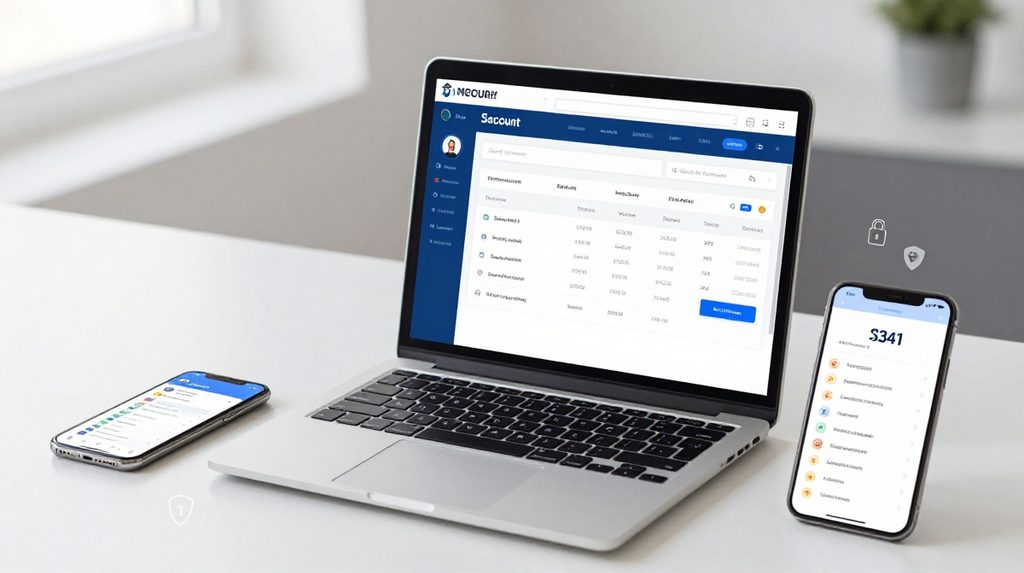
Every sports platform has an account section. This is where you manage your personal details and, if the platform supports it, your wallet balance.
In the account section, you’ll typically find:
- Your profile and contact details
- Transaction history deposits and withdrawals
- Bonus or reward points
- Security settings like changing your password
Keep this section updated. Make sure your mobile number and email address are correct, because platforms send important alerts and verification codes to these details.
A Simple Table What Each Dashboard Section Is For
| Dashboard Section | What It Shows | Best Used For |
|---|---|---|
| Home / Overview | Live and upcoming matches | Quick check |
| Live Scores | Real-time scorecard | Following a match |
| Match Statistics | Player and team numbers | Fantasy team selection |
| Fixtures / Schedule | Upcoming match dates and times | Planning ahead |
| Odds and Markets | Match outcome probabilities | For platforms with this feature |
| Fantasy Panel | Team creation and leaderboard | Fantasy sports contests |
| Account / Wallet | Profile, balance, history | Account management |
Tips for Getting Around Faster
Once you know where each section is, a few habits will help you use the dashboard more comfortably.
First, use filters every time. Most dashboards let you filter by sport, league, or date. Setting your preferred sport as the default saves time during busy match days.
Second, enable notifications selectively. Turning on alerts for every match is overwhelming. Pick only the matches or teams you’re following closely.
Third, check the account section once a week. If your platform has a wallet, reviewing your transaction history regularly keeps you aware of what you’ve spent or earned.