
Multi-Factor Authentication Explained in Plain Language


Imagine someone in Mumbai gets a call. The caller says, I’m from your bank. Just share the OTP and your account is safe. The person does. And within minutes, money is gone. This exact situation happened to lakhs of Indians in 2024. The reason it worked is simple a password or an OTP alone is not enough protection anymore.
That’s where multi-factor authentication (MFA) comes in.
MFA means you need more than one proof of identity to log into an account. It’s not a complicated tech idea. Think of it like your flat door that has both a lock and a chain latch. Even if someone picks the lock, the chain stops them.
Why This Matters for India Right Now
Cyber fraudsters stole roughly ₹22,842 crore from Indians in 2024, nearly three times what was lost in 2023. These were not all high-tech attacks. Many happened because victims had only one layer of protection, usually a password or a single OTP. Reported cybersecurity incidents in India jumped from 10.29 lakh in 2022 to 22.68 lakh in 2024.
The Reserve Bank of India (RBI) noticed this pattern. Starting April 2026, the RBI directed banks to move beyond OTP-only systems and adopt stronger methods like device binding, passkeys, and biometrics for digital transactions. In other words, the regulator itself is now pushing for MFA across UPI and internet banking.
If you use PhonePe, Google Pay, net banking, or even Gmail, multi-factor authentication is already touching your life. Understanding it helps you use it better.
What Are the Three Factors in MFA?
Authentication factors are just types of proof. There are three kinds:
Something you know is information only you should have. A password, a PIN, or the answer to a security question. This is the oldest and weakest factor on its own, because it can be guessed, stolen through phishing, or leaked in a data breach.
Something you have is a physical item in your possession. Your phone receiving an OTP, a bank token device, or an authenticator app that generates a code every 30 seconds. For example, a system might ask for a password plus a code generated by an authenticator app on your phone. Even if someone steals your password, they still need your phone.
Something you are uses your body as proof. A fingerprint scan, a face unlock, or an iris scan. Your smartphone’s biometric login falls here. This is the hardest factor to fake, though it’s not impossible.
MFA simply means you present two or more of these at once, from different categories. An OTP sent to your phone after you enter a password counts as two factors. So does entering a PIN and then scanning your fingerprint.
| Factor Type | Example | Can Be Stolen Remotely? |
|---|---|---|
| Something you know | Password, PIN | Yes (phishing, leaks) |
| Something you have | OTP on phone, auth app | Harder, needs phone access |
| Something you are | Fingerprint, face | Very hard |
What Is the Difference Between 2FA and MFA?

Two-factor authentication (2FA) is a type of MFA. It uses exactly two factors. MFA is the broader term and can involve two, three, or more factors depending on the account or system.
In everyday life, 2FA is what you’ll see most often. When your bank sends you an OTP after you enter your password, that’s 2FA. When a corporate login asks for a password, a phone code, and a fingerprint, that’s three-factor MFA.
For most regular users in India, 2FA is perfectly good. The important thing is that you don’t rely on a password alone.
Is the OTP on Your Phone Really Safe?
OTP One Time Password is the most common second factor in India. Your bank, Gmail, and WhatsApp all use it. But OTP via SMS has a known weakness.
A fraudster can trick you into reading out the OTP over a phone call. Cybersecurity awareness has not kept pace with digital payments adoption, leading to a surge in OTP frauds through phishing and social engineering in India. There are also SIM swap attacks, where a criminal convinces your telecom provider to issue a new SIM with your number, so the OTP lands on their phone.
This is why the RBI wants banks to move toward stronger methods. If you can use an authenticator app like Google Authenticator or Microsoft Authenticator instead of SMS OTP, do it. These apps generate a code on your device without any SMS network involved, so a SIM swap does not help the attacker.
For online platforms like cricket betting or fantasy sports apps, including when you log into a service using something like a lotus365 apk, always check if the app offers 2FA in its account settings and turn it on. Your account credentials are a target for attackers, especially if there is real money involved.
How to Turn On MFA for Apps You Already Use
On Gmail or Google Account
Go to myaccount.google.com. Click on Security in the left menu. Look for 2-Step Verification and click Get started. Google will ask you to verify your phone number, then send a code. Once you confirm it, the feature is on. After this is enabled, every time you log in from a new device or browser, Google will ask for a second verification step.
On WhatsApp
Open WhatsApp, go to Settings, tap Account, then select Two-step verification, and tap Enable. You’ll create a six-digit PIN. After this, whenever you register your number on a new device, WhatsApp will ask for this PIN. This stops SIM-swap attackers from taking over your WhatsApp even if they get your number.
On your bank’s app
Most bank apps, including SBI YONO, HDFC Bank, and ICICI iMobile, now prompt biometric or pattern verification before allowing any transaction. If your bank app asks you to set a fingerprint login, do not skip it. That step is the MFA working for you.
Common Mistakes People Make with MFA
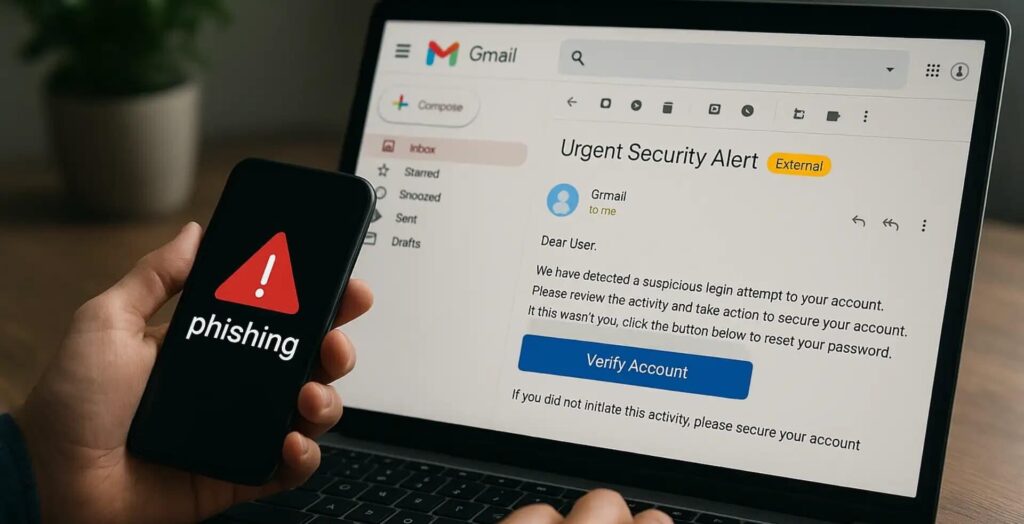
Sharing an OTP with anyone, including someone claiming to be from your bank, defeats the whole purpose of having a second factor. No bank, no government officer, and no legitimate company will ever call you asking for an OTP.
Using the same phone number for your bank account and your email means both your second factors are in one place. If your SIM is stolen or swapped, both are compromised. Where possible, keep your registered bank number separate from the email on your social accounts.
Not setting up account recovery options is another gap. If you lose your phone and have no backup codes, you can be locked out of your own account. Gmail lets you download backup codes. Save them somewhere offline.
When Is MFA Required by Law in India?
For banking and digital payments, you already live under MFA rules. Under a protocol introduced by the RBI, Indian cardholders making online purchases from international merchants must verify transactions through either OTP authentication or biometric verification. For domestic UPI transactions, an April 2026 RBI directive made two-factor authentication mandatory.
For general internet use, Gmail, Instagram, and WhatsApp, MFA is optional but strongly recommended. You choose to turn it on. Given that lotus365 cricket and other online platforms hold user funds and personal data, enabling 2FA on every account linked to money is a basic protection step worth doing today.
The National Cyber Crime Reporting Portal at cybercrime.gov.in allows you to report fraud if your account is compromised. But prevention is far simpler than recovery.